

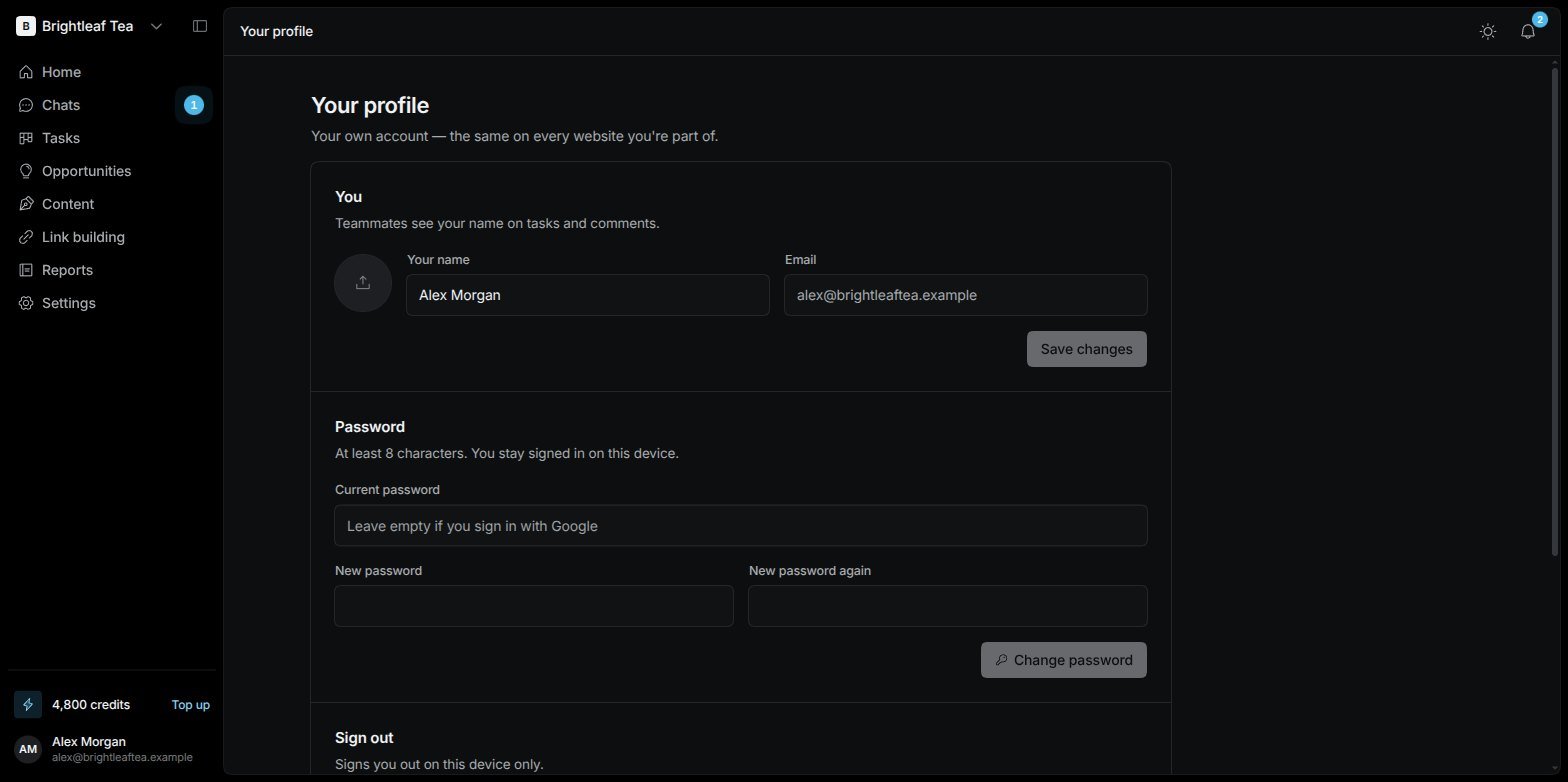
Your profile
You
Your name is what teammates see on tasks and comments. Change it and choose Save changes. Your Email is shown for reference.Password
Type your Current password (leave it empty if you sign in with Google), then your New password twice — at least 8 characters — and choose Change password. You stay signed in on this device. Forgot your password? Sign out and choose Forgot password? on the sign-in page.Sign out
Sign out signs you out on this device only.Delete your account
Delete my account removes your account for good. Confirm with Your password, to confirm — or, if you sign in with Google, with a code we email you.- Websites where you’re the only admin are deleted with everything in them, and their plan is cancelled.
- Websites you share with another admin stay — you just leave them.
iMessage
For people it’s turned on for, an iMessage tab appears here. It lets you text your SEO Manager from your phone — the same conversation as its pinned chat, with the same memory.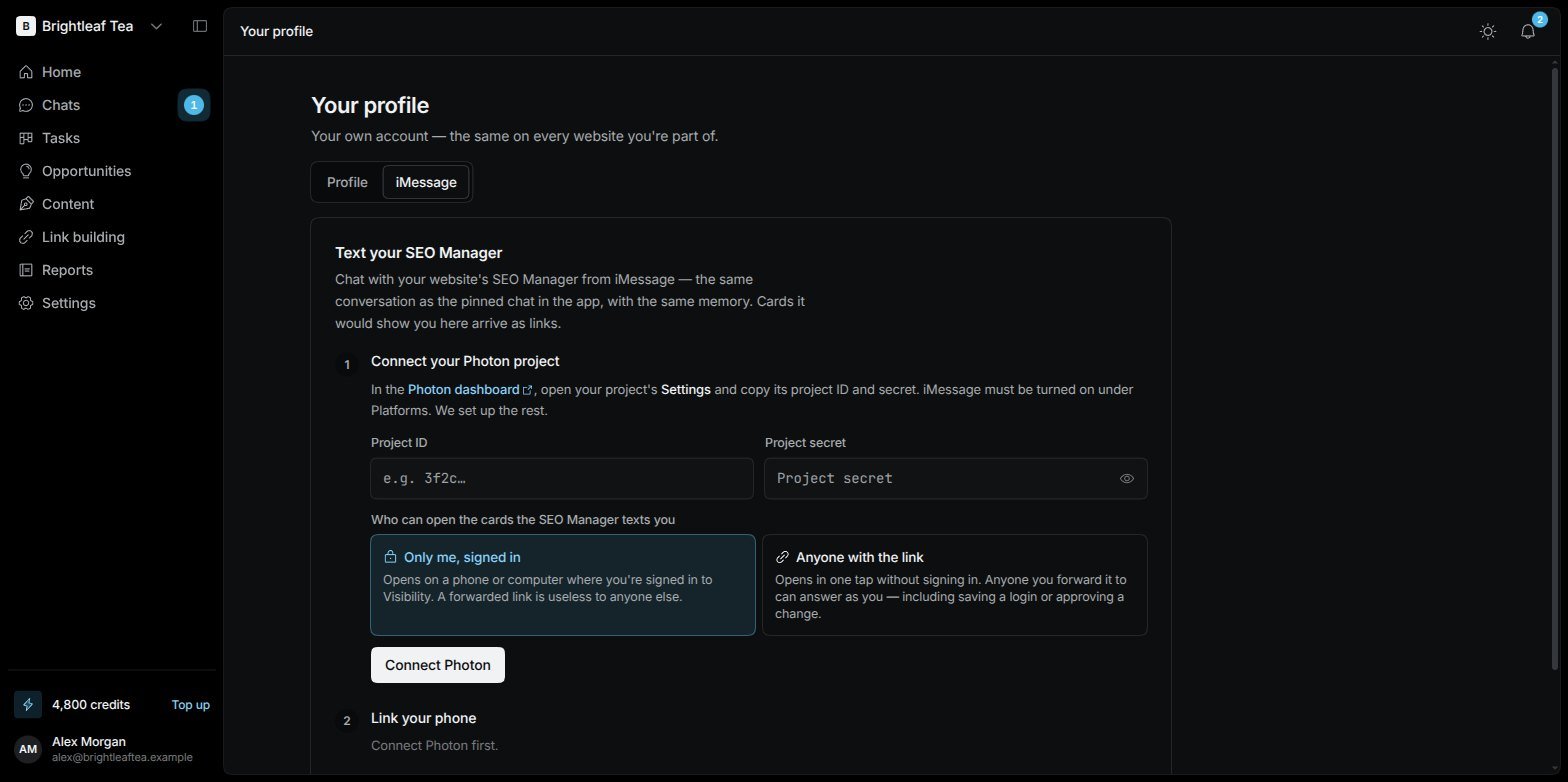
Your profile › iMessage
1
Connect your Photon project
iMessage runs through Photon. Paste your Photon project ID and secret (in the Photon dashboard under your project’s Settings; iMessage must be turned on under Platforms), and choose who can open the card links the SEO Manager texts you: Only me, signed in or Anyone with the link.
2
Link your phone
Enter your iMessage number with its country code, and pick the website. You get a 6-digit code and the number to text it to. Text the code from that phone — the page shows your phone as verified, and you get a “You’re connected” text.
3
Text away
Anything you text lands in the website’s pinned SEO Manager chat as you, with your role’s limits, and the SEO Manager answers by text.
- Questions with a few set answers arrive as iMessage polls — tap one. Other cards — forms, charts, findings, saving a login, approvals — arrive as a link to a page with just that card.
- Text me the SEO Manager’s updates also sends you its own check-ins, during the day in your time zone. Leave it off to only get replies to what you text.
- It reads text only for now; for photos and voice notes it asks you to type it out.
- Your messages from iMessage carry an iMessage tag in the app chat.