
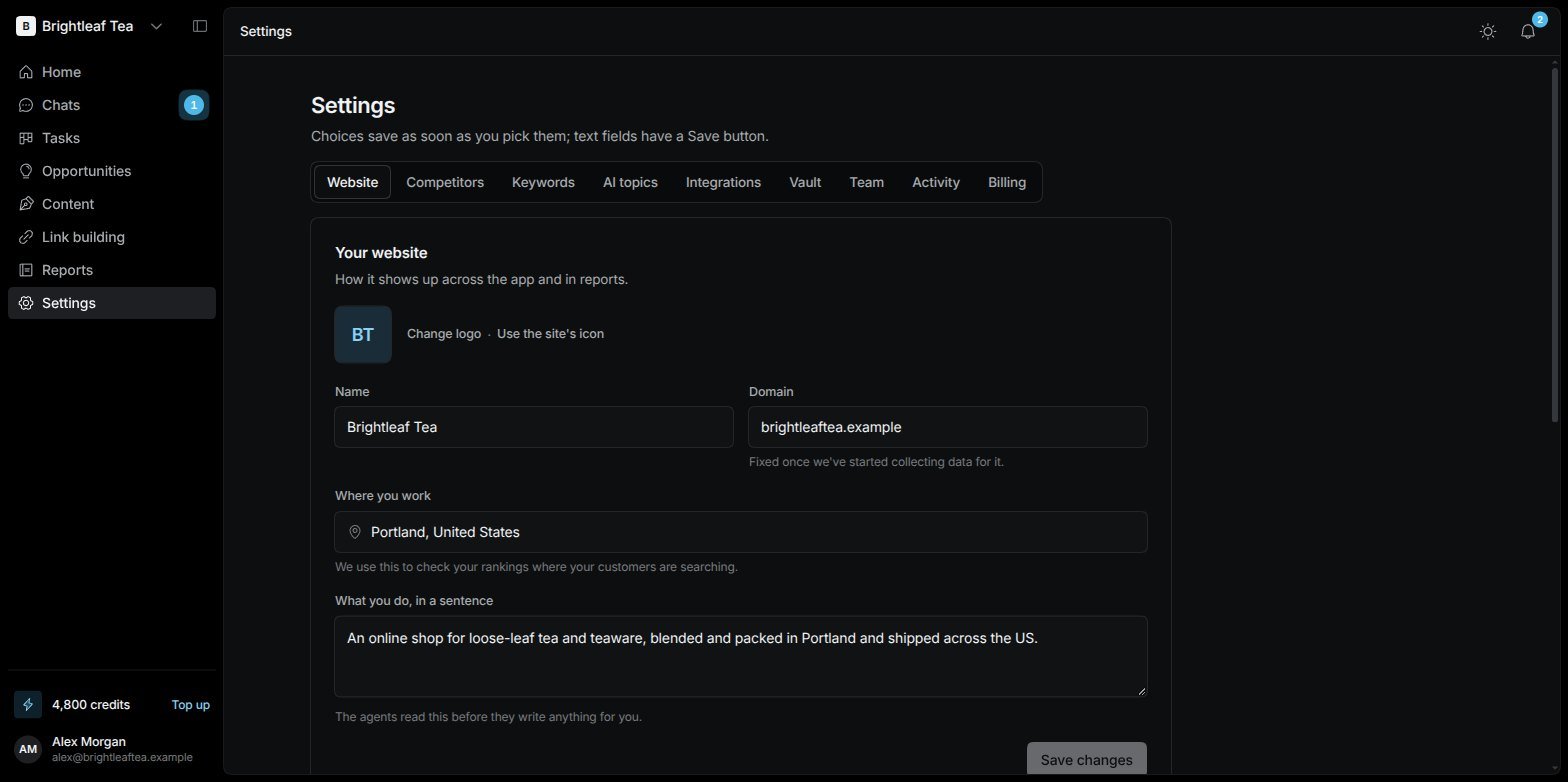
Settings › Website: your website's details and how you use Visibility
Website
Your website — how it shows up across the app and in reports:- Name, Domain, Where you work and What you do, in a sentence. The agents read this before they write anything for you. The domain is fixed once data has started being collected for it.
- The logo: Visibility uses your site’s own icon. Change logo to use another.
- How much you know about SEO — Beginner in SEO keeps it simple and hides Content and Link building; Expert in SEO shows everything.
- Blog posts a month — how many articles the agents write each month. Zero means none are planned; the agents still write when you ask.
- Before anything goes live — Ask me first (every publish or site change waits in Approvals for your OK) or Just do it.
Competitors
The websites you’re compared against in reports, keyword rankings and AI answers. Three to five is plenty. Add one by its address; the × next to one removes it. Competitors that AI assistants name next to you are suggested under Seen next to you in AI answers.Keywords
The searches you track, checked every day. Type a search and add it — several at once, separated by commas — and choose Where it’s checked from. Find a keyword searches your list. Remove a keyword and its ranking history goes with it. Your agents suggest more as they research. See Keyword rankings.AI topics
What we ask ChatGPT, Claude, Gemini and Perplexity about, to see if they mention you. Add a topic, likeLoose-leaf tea gifts; removing one removes its results too. To manage the questions inside each topic, use Reports › AI visibility › Setup. See AI visibility.