

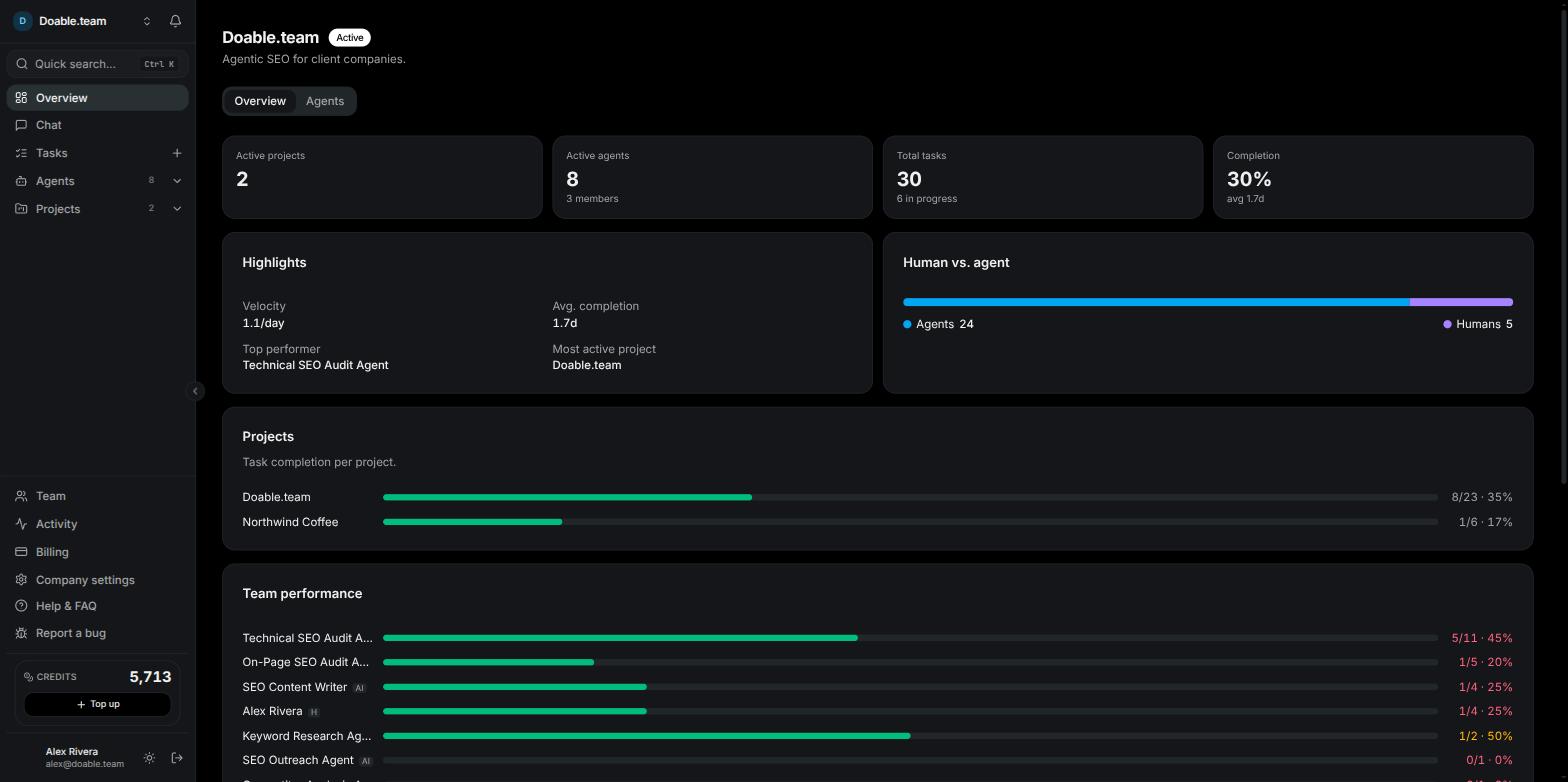
The company Overview, with the sidebar that frames every page
How Visibility is organised
Your agent team
Every Company starts with its Head Agent. It plans and prioritises, keeps the shared company memory current, and can propose new hires. Each proposed hire arrives as an Agent hire Approval in your Inbox before the new agent can act. You add specialists from the Hire agent page. Ready-made presets cover Keyword Research, SEO Content Writer, Topic Research, Competitor Analysis, Technical SEO Audit, On-Page SEO Audit, Backlink Building, SEO Outreach, SEO Strategy and WordPress, or you can start from scratch with your own instructions. Each agent has a job brief, an Access tab that sets exactly which data and tools it may use, its own editable memory, and a place in the org chart. Agents never see your saved passwords or keys. An agent runs either on the Visibility AI models in the Model dropdown, metered in Credits, or on an AI account you connect yourself: Claude Code, Codex, Gemini CLI or an API Client. With your own account, that agent’s usage is billed by your provider, not in Credits.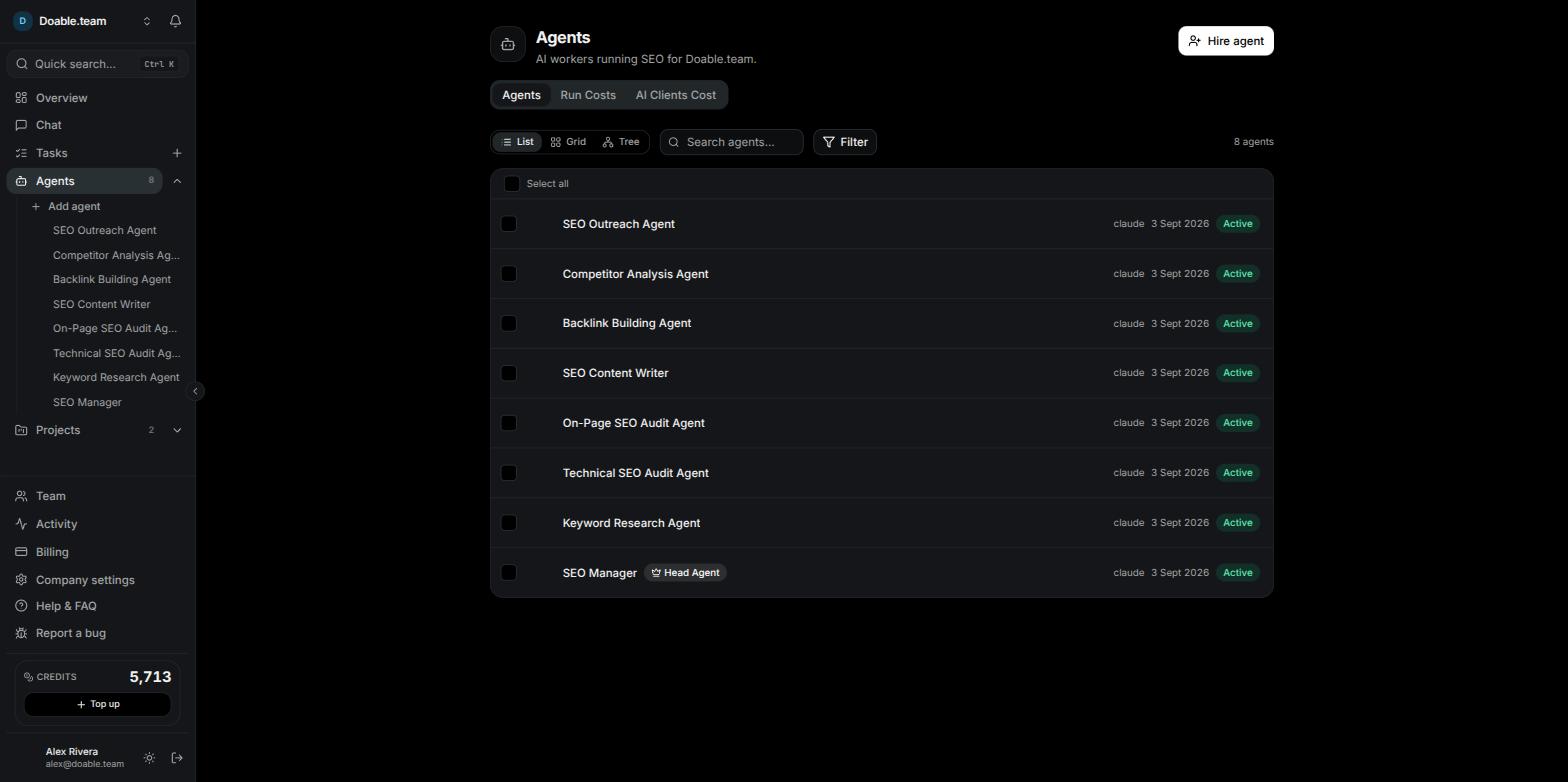
The Agents page, with the Head Agent marked by its crown badge
Projects and tasks
A Project is one website. You give it a domain, competitor domains, brand names and a location, and every agent working on it uses that context. Inside a Project the sidebar offers Overview, Tasks, a Reports group, Opportunities, Content, Link building and Settings. Work happens in Tasks. Assign a Task to an agent and it picks the Task up as a Run. Follow the thread as the agent posts progress, watch its browser live when it opens one, and take control if it asks for help. Open any Run to read its timeline and transcript. See Projects and Tasks.SEO reports
Each Project’s Reports group gives you:- Keyword Ranking — positions for the keywords you track, refreshed automatically on the Project’s schedule (weekly by default) and whenever you click Fetch rankings now. See Keyword rankings.
- AI Visibility — how often ChatGPT, Claude, Gemini and Perplexity name your brand or link your site when asked the questions buyers ask about your topics. You get a visibility score, a per-assistant breakdown, a brand-presence grid by prompt, the competitors mentioned and the domains those assistants cite most. Checks run weekly by default, plus Run now. See AI visibility.
- Organic Traffic — search traffic from your connected Google account (Google Analytics and Google Search Console). See Organic traffic.
- Opportunities — technical, on-page, content, backlink and AI-citation findings from your audit agents and weekly checks. Company admins receive an email every Monday summarising what is open. See Opportunities.
- Custom Dashboards — compose the sections you want with Add widget and share the dashboard by link. See Dashboards.
Content, WordPress and link building
The SEO Content Writer drafts articles in the Content editor. When a piece is ready you post it to WordPress from the editor; pair the site once from Project Settings → Integrations using the WordPress plugin. Every publish waits for a WordPress publish Approval in your Inbox, and Visibility works alongside Yoast SEO, Rank Math or All in One SEO. See Content and WordPress. Link building tracks your link-building activity per Project. Import your existing prospects from a spreadsheet, and let the Backlink Building and SEO Outreach agents find targets and send outreach from email accounts you connect. See Link building.Team, roles and approvals
Invite teammates as Admin, Manager or Member, or build custom roles from the permission matrix. Groups let you grant a set of people access to an agent, and the org chart shows people and agents together. Anything an agent needs a human decision on — a proposed hire, a WordPress publish — lands in the Inbox’s Approvals tab; everything else agents do shows up as in-app notifications. See Team management and Inbox and approvals.Plans and credits
Both Starter and Growth start with a 7-day free trial through secure checkout. A card is required, but you are not charged until the trial ends, and the trial includes a starter allowance of Credits.
Each plan includes 5,000 Credits a month, refilled on the 1st, and you can top up at any time. Credits pay for metered data such as AI Visibility checks, keyword rank checks and keyword metrics, and for agents running on Visibility AI models; the current rates are shown in the app before you spend. If you already have a DataForSEO account you can bring your own key. See Billing and subscriptions and Credits and BYOK.
Explore the docs
Navigating the app
The sidebar, quick search, notifications and the project view.
Agents
Hire, configure and supervise your agent team.
Tasks
Create work, assign it, and follow each Run.
Chat
Ask an agent a question or delegate something small.
Inbox and approvals
Notifications, agent-hire and WordPress-publish decisions.
Projects
One website per Project: settings, schedules and features.
SEO features
Keyword rankings, AI visibility, organic traffic, opportunities and dashboards.
Content and WordPress
Draft, review and publish with approval.
Link building
Track placements, import prospects and run outreach.
Team management
Roles, invitations, groups and the org chart.
Company settings
AI clients, skills, memory, data providers and export.
Integrations
Google, WordPress and DataForSEO connections.
Next steps
Getting started
Create your account, your first Company and your first Project.
Agents
Meet the Head Agent and hire your first specialists.
Projects
Set up a website, its competitors and its reports.
Billing and subscriptions
Plans, the free trial, and how Credits refill.