

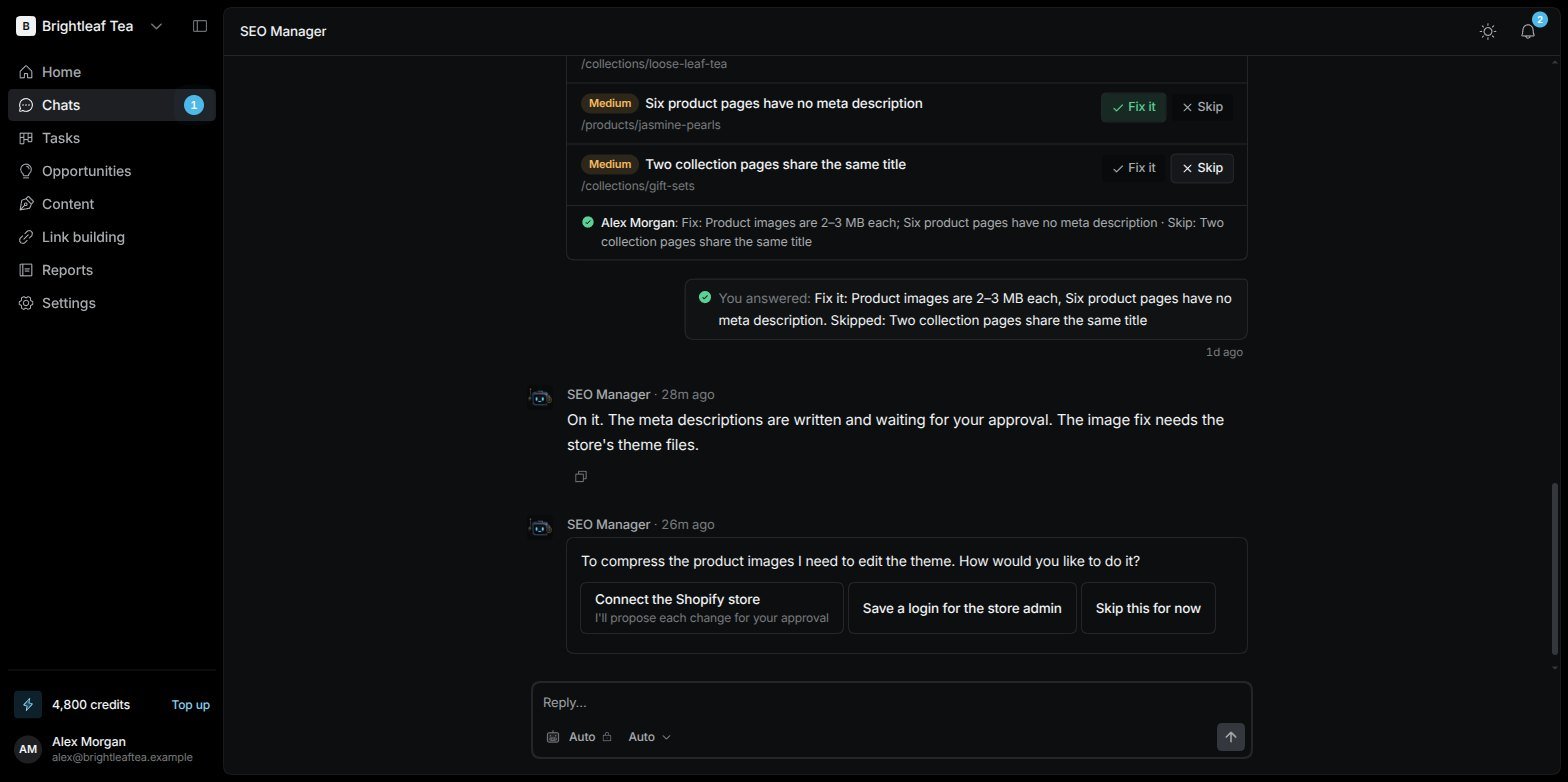
The SEO Manager's pinned chat: a findings card you answered, and a question waiting for you
How it starts
The SEO Manager starts the moment your website’s trial or plan starts.1
It introduces itself
A short greeting, while an animation shows it getting to know your website.
2
It shows you what it found
A website card: a screenshot of your homepage, its title, description and main heading, its speed on mobile and desktop, its Domain Rating, and what you told us when you set up — keywords, competitors and AI topics — plus which connections are in place.
3
It asks to start
“Shall I start the full SEO programme?” Say yes and it hands the first audits to its specialists: a technical check, an on-page review, keyword research and a competitor comparison. Or ask your questions first.
It talks in cards
Instead of long walls of text, the SEO Manager sends short messages and cards you can act on:
A question waiting for your answer shows an empty ring next to Chats in the sidebar and on the chat in the list, until you answer it.
Old cards can’t be answered. If things have moved on since a card was sent, it’s marked No longer needed or Expired, and the SEO Manager tells you where things stand.
Who can answer
Everyone on the website sees the same chat, and the SEO Manager knows who’s writing and what their role allows.- A question belongs to the person it was asked of. Others see it greyed out — “Waiting for name”. An Admin can always answer.
- If someone asks for something their role can’t do — save a login, connect an account, track a keyword, approve a change — it says so and names who can. A keyword they ask for becomes a suggestion instead. See Team and roles.
- Anyone can ask it to use what’s already set up, like signing in with a saved login.
It hands work to specialists
The SEO Manager doesn’t do everything itself. It creates Tasks for the right specialist — the Technical SEO Audit Agent, the On-Page SEO Audit Agent, the SEO Content Writer and so on. In the chat:- A line shows each hand-off, and the Tasks button at the top lists the Tasks from this chat with their status: Queued, Working on it, Ready to review, Done or Stuck.
- When a specialist finishes, the SEO Manager reads the result and tells you what it means.
It checks back on its own
The SEO Manager decides when to look again — “I’ll check the rankings next week”, or right after a Task finishes — and posts in the chat when it does. If you haven’t seen a new message, you get a notification in the bell after a minute (later ones after half an hour, at most three a day). If something fails — a data source is down, it can’t reach your site’s admin — it tells you plainly in one line.Nothing goes live without you
Every change to your website — a new page, a fix, an article, an email — waits for your approval in the bell’s Approvals tab, unless you chose Just do it when you set up. See Notifications and approvals.Text it from iMessage
For people it’s turned on for, the same conversation also works over iMessage: text your SEO Manager from your phone and it replies there. Simple questions arrive as iMessage polls; other cards arrive as a link. See Your profile.Related pages
Chats
Other conversations, other agents, and choosing a model.
Agents
The specialists the SEO Manager works with.