

Your balance
Your balance is one pool made of two parts.
Plan credits are always spent first, so a top-up is only drawn on once the month’s allowance is gone.
Two places show the balance:
- The Credits card near the bottom of the sidebar, with a Top up button. When the sidebar is collapsed it becomes a coin icon whose tooltip breaks the balance into what is left of the monthly plan credits and what is left of your top-ups.
- Billing → Overview → Credits, which adds the plan and top-up split and two rules of thumb: ”≈ N keyword checks” and ”≈ N AI checks” at the current rates.
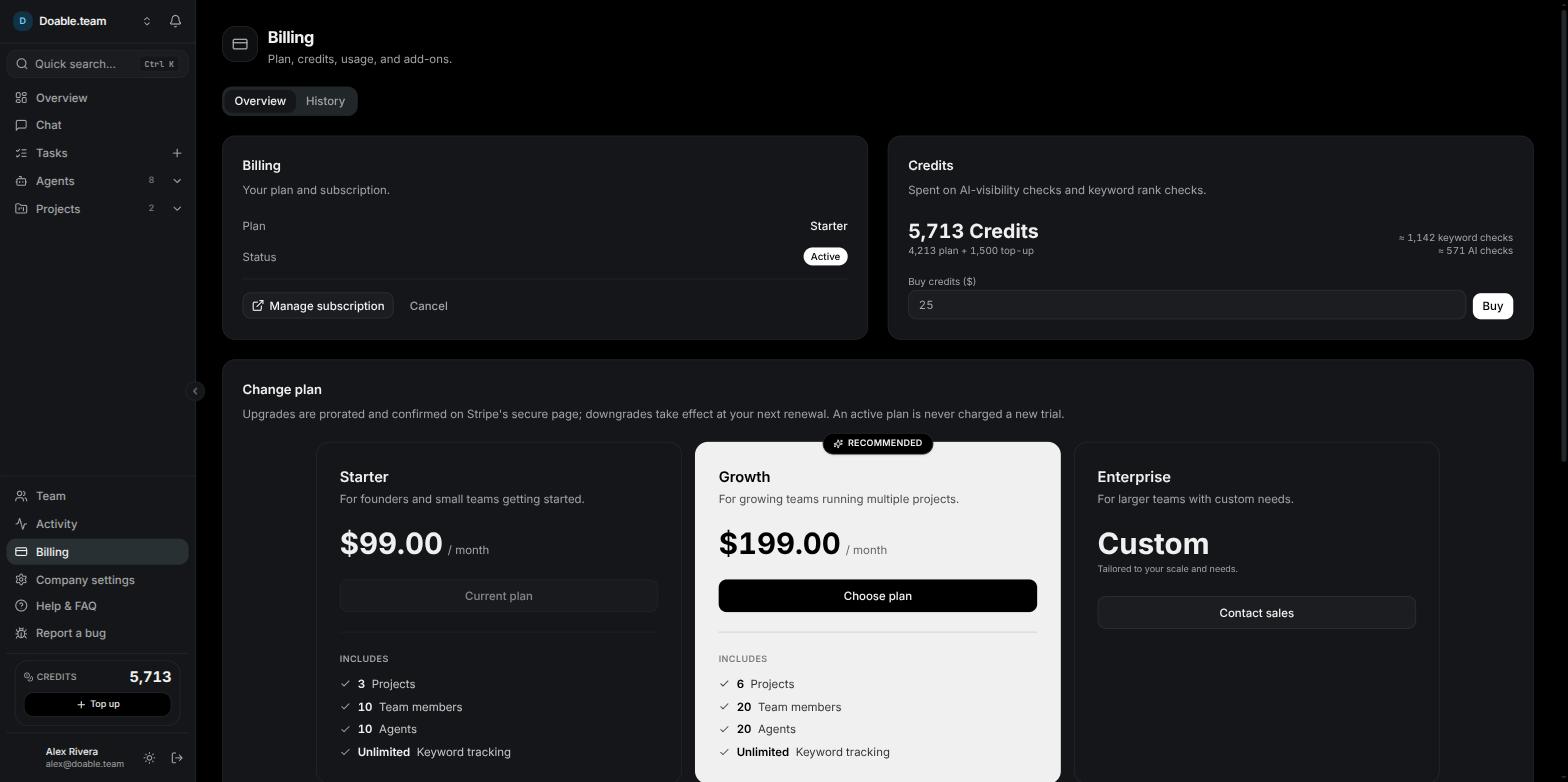
Billing → Overview: your plan on the left and the credit balance, its plan and top-up split and the Buy credits field on the right.
What each action costs
These are the current rates. Rates can change, and the app always prices work with the live rate before you spend, so treat the cost notices in the product as the source of truth.A keyword is tracked per country and per device, and each of those rows is checked and billed on its own. Tracking one keyword in two countries costs twice as much as tracking it in one. See Keyword rankings.
See the cost before you spend
Visibility prices metered work up front, in the screen where you set it up.- Project → Keyword Ranking → Manage keywords shows a notice above the tabs: “About N Credits/month to track these keywords”, with the arithmetic behind it, for example “60 keywords × 5 × 4 runs/month”. With no schedule set it reads “5 Credits per keyword, per check” and adds “Rank tracking isn’t running yet, so nothing is being charged.”
- Project → AI Visibility → Setup shows the same kind of notice: “About N Credits/month for AI-visibility checks”, broken down as prompts across assistants times runs per month.
- Project → Settings → Schedules shows “~N Credits est. / run” on each job card. Pressing Run now asks you to confirm first, naming the estimated cost: “This runs immediately and will cost ~N Credits”.
- Every Run records the tokens it used and its cost, on the run page and in the task’s Agent runs list.
Top up
Top-ups go through secure checkout. Credits are added once the payment completes.1
Open the top-up
Click Top up on the sidebar Credits card, or open Billing → Overview → Credits and use the Buy credits ($) field.
2
Choose an amount
Type a dollar amount. The Top up credits dialog converts it live under the field — $25 shows as "= 2,500 credits". The minimum is $1.
3
Pay
Click Pay $X (or Buy from the Billing page) and complete the secure checkout.
4
Wait for the balance to refresh
You return to the app with “Payment received — your credits will appear in a moment.” and the balance updates. If you close the checkout instead, nothing is charged: “Purchase cancelled — you have not been charged.”

The Top up credits dialog converts the dollar amount to credits before you pay.
When you run out of credits
Metered work is refused before anything is spent, rather than half-completing. If the balance cannot cover a whole batch of checks, the batch is stopped and the message tells you what it needed and what you have.- Scheduled rank checks and AI Visibility runs are skipped for that cycle.
- Agents on Visibility AI do not start a new Run, and a run already in flight stops if the balance reaches zero mid-way. Its run page then shows an Out of credits card with your balance, the date your plan credits renew, and a Top up credits button — or “A company admin can top up.” if you cannot buy credits yourself.
- Nothing is lost. Work resumes as soon as credits are added, or on the 1st when the plan pool refills.
Where the credits went
Open Billing → History for the full ledger under Credit history. Filter it with the chips All, Visibility AI usage, SEO & AI-visibility checks and Top-ups & refills; each chip shows its all-time total. Each row names what happened, for example “AI Visibility — ChatGPT”, “Keyword rank check ×40”, a Visibility AI model with its token count, “Top-up · Credits added” or “Monthly credit refill”, with the date, the signed amount and the balance left after it. The list shows 25 rows at a time; page through it with Previous and Next. For agent spend specifically, Agents → AI Clients Cost splits Total spend into credits used on Visibility AI and dollars billed to your own clients, over 7d, 30d, 90d or All. The note under it reads “Visibility AI is metered per token · BYOK clients are measured per session.”Your own DataForSEO keys
By default your SEO data runs on Visibility Data — the data account Visibility provides — and DataForSEO usage on it is metered to credits. Connecting your own DataForSEO login moves part of that work onto your account, where it is billed by DataForSEO and not metered here. You need to be a company admin; the setting is per Company, not per project.1
Open the data providers
Go to Company settings → AI clients and find the Data providers card. The DataForSEO row shows the badge Visibility Data · connected.
2
Enter your keys
Click Connect Your Keys and type your DataForSEO API login and password, then click Save keys.
3
Confirm the switch
The dialog Stop using Visibility Data? explains that DataForSEO calls will run on your account and will not spend credits, and that you can switch back at any time. Click Use my own keys.
4
Check the connection
Visibility tests the keys straight away. The badge becomes Your keys · connected, or · connection error with the reason. Use Test to re-check whenever you want, Replace keys to enter new ones, and Use Visibility Data to switch back to the included lane.
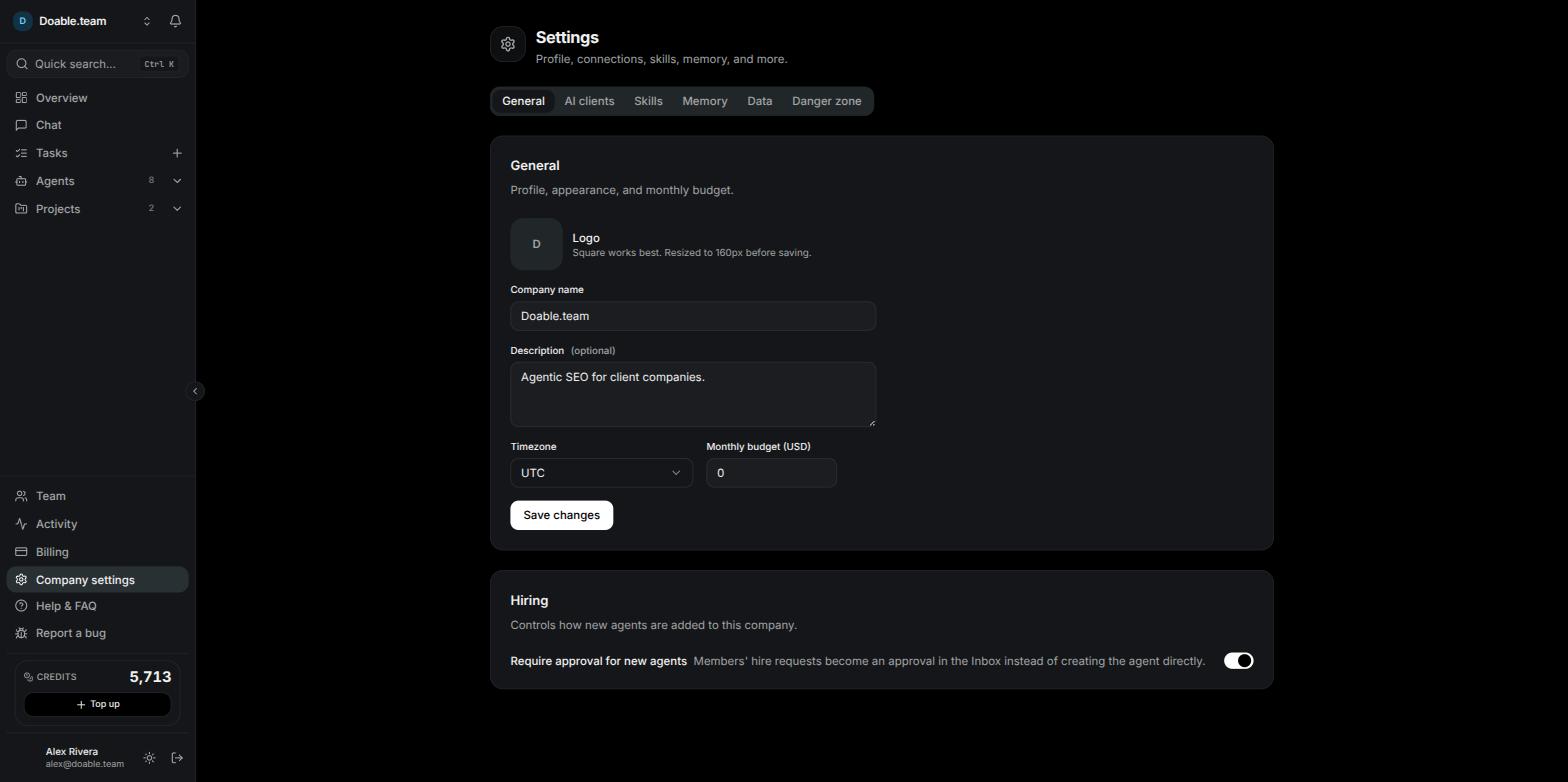
Company settings holds the AI clients tab, where the Data providers card lists DataForSEO.
What your own keys do and do not cover
This is the single most common misunderstanding about BYOK: your own DataForSEO key does not make rank tracking free. Rank checks and AI Visibility checks stay on Visibility Data and keep costing credits at the rates above.
When you hire an agent from a keyword preset, its draft names which lane it will use — “Keyword data provider: Visibility Data — included, usage metered to credits” or “DataForSEO — your own key” — with a Change link. See Agents.
Your own AI clients
Agents run on one AI client plus a model, chosen on the agent’s Config tab.- Visibility AI is the managed lane. There is nothing to connect: pick one of the Visibility AI models in the Model dropdown, and usage is metered in credits per token at the rate shown for that model. The Config tab reminds you: “Metered — usage deducts your company credits.”
- Your own client means the agent runs on an account you connect under Company settings → AI clients: Claude Code, Codex, Gemini CLI or API Client. That agent’s usage is billed by your provider, not in credits.
Mixing lanes is fine and often sensible: keep agents on your own AI account while leaving SEO data on Visibility Data, or the other way round. The two choices are independent.
Common questions
Do unused credits roll over?
Do unused credits roll over?
Plan credits do not — the pool resets to your plan’s allowance on the 1st of each month. Top-up credits do: they never expire and are spent only after the month’s plan credits are gone.
Who can buy credits?
Who can buy credits?
Members with the Manage billing permission, which Admins have by default. Everyone else sees the balance only where it is shown to them and asks an admin to top up.
Does a free trial include credits?
Does a free trial include credits?
Yes. A trial starts with a starter allowance of credits on top of the monthly plan credits, so you can run real checks while you evaluate. See Billing and subscriptions.
Why did one AI Visibility run cost more than I expected?
Why did one AI Visibility run cost more than I expected?
Every prompt is asked of every assistant you enabled, and each of those is a separate check at 10 credits. Reduce the prompt set, or the number of assistants, to bring the run down. See AI Visibility.
Can I cap what a single agent spends?
Can I cap what a single agent spends?
Yes — set Monthly budget (USD) on the agent’s Config tab. The agent pauses with an Over budget badge when it reaches the cap. See Agents.
Related
Billing and subscriptions
Plans, the free trial, changing plans and payment history.
Keyword rankings
What a rank check is and how the monthly cost notice is calculated.
AI Visibility
Prompts, assistants and what a check spends.
Company settings
Where AI clients and data providers are connected.